I learned my lesson about cleaning headphones three years ago, and it cost me 250 USD in less than five minutes. I was getting ready for an evening gaming match with my friends, glanced at my headset, and noticed an oily shine on the ear pads. In a complete rush, I grabbed a bottle of household kitchen disinfectant and sprayed it straight into the ear cups. Within ten seconds, I heard a terrible crackling pop from the right driver. By morning, that speaker was completely silent, ruined by a short circuit.
That disaster proved to me that audio equipment needs patience, not quick sprays. Headsets rest against our hair, ears, and cheeks for hours every single day, catching dried sweat, facial grease, and loose dust. When you clean them using the wrong tools, you risk destroying paper-thin driver cones, corroding microphone wires, or stripping synthetic leather into black flakes.
In this straightforward, hands-on guide, I will walk you through the safe cleaning techniques I use on my daily gear. You will learn how to wash different cushion fabrics, clear microphone grilles without clogging them, and keep dangerous liquids far away from vulnerable speaker drivers. Let's make your headphones look and sound brand new without breaking a single part.
Quick Guide: How to Clean Audio Gear in 60 Seconds
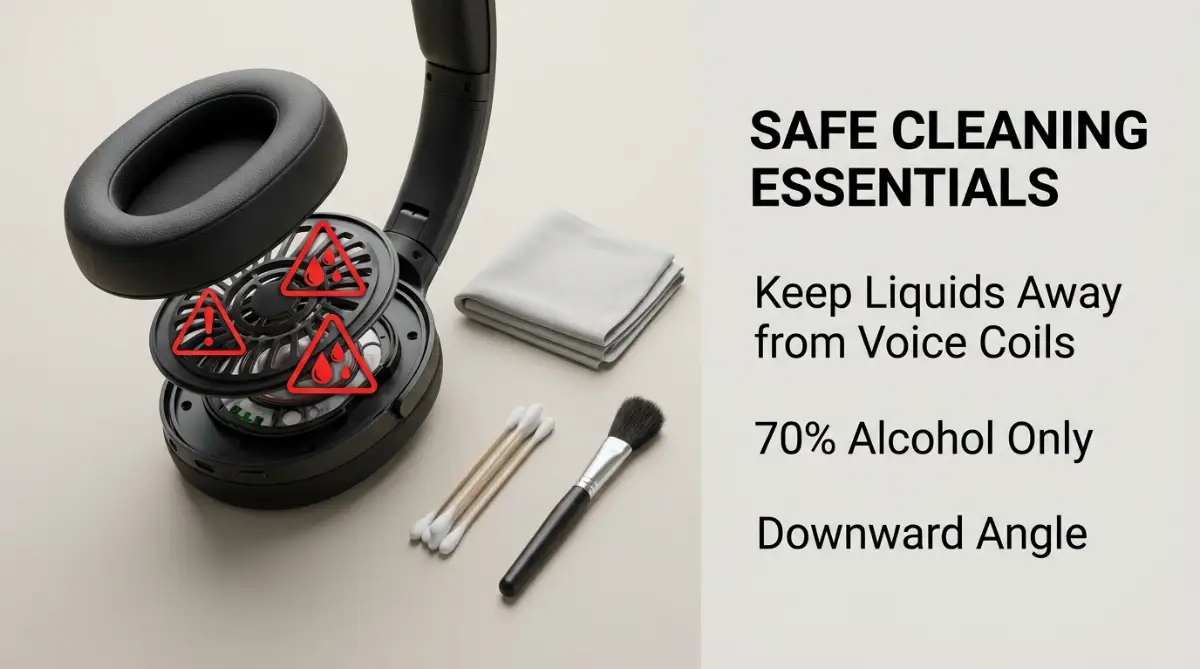
- Zero Spray Near Speakers: Never spray isopropyl alcohol or soapy water directly on the headset. Put a tiny drop on a microfiber towel first so wet liquid never touches delicate driver membranes.
- Material-Specific Cleaning: Detach fabric and velour cushions to hand-wash them in warm soapy water. For synthetic leather, use a barely damp cloth with 70% alcohol to stop peeling.
- Dry Microphone Care: Never push damp cloths or metal pins into boom mic capsules. Use a soft, dry nylon toothbrush and point the mic down so dry debris falls out freely.
- Full 24-Hour Air Drying: Always let washed cushions and foam windscreens sit flat for at least a full day before snapping them back on. Trapped moisture inside foam will destroy internal audio circuitry.
The Frustration of Dirty Headsets and Silent Audio Dangers
You put on your favorite pair of headphones, ready to jump into a gaming match or a work meeting. Suddenly, your friends tell you that your voice sounds muffled, like you are speaking under water. You take off the headset and notice greasy buildup on the ear pads and dust trapped inside the microphone mesh.
It feels deeply annoying to spend good money on quality audio gear only to watch it look worn out and smell stale. Worse yet, dirty ear pads can collect skin oil, sweat, and bacteria, leading to sudden skin breakouts around your ears.
Most people experience severe hesitation when it comes to cleaning their audio gear because they fear making a costly mistake. They worry that liquid will leak into the delicate headphone drivers and destroy the sound quality forever.

Complete Material Guide for Safe Headphone Restoration
Cleaning your equipment does not require expensive repair kits or specialized technical knowledge. You only need a few household items and a calm, deliberate approach to protect your internal headphone drivers.
Before starting any maintenance process, gather these safe tools on a flat surface:
- 70% Isopropyl Alcohol: This quick-evaporating solution kills germs without lingering wetness that causes rust.
- Microfiber Cloths: Soft, lint-free cloths catch fine dust without scratching smooth plastic surfaces or tearing soft fake leather.
- Soft Toothbrush: Gentle nylon bristles reach deep into small fabric weaves and narrow mic mesh grilles.
- Cotton Swabs: Ideal for controlled spot cleaning around tiny holes and tight corners.
- Warm Soapy Water: Mix two drops of gentle dish soap into a bowl of warm water for detachable pads only.
Understanding Audio Driver Vulnerability
Inside every ear cup sits an ultra-thin membrane called a driver diaphragm. This tiny piece of plastic or acoustic paper flexes thousands of times each second to create the sound waves you hear.
Moisture is the fastest way to ruin this setup. A single drop of fluid resting on that membrane will ruin sound balance or rust the tiny copper voice coil inside.
Here is my golden rule whenever I clean near speaker openings: always use gravity to protect your gear. Hold the headphones with the speaker holes facing straight down toward your desk. That way, if a stray droplet ever gets loose, it drops straight onto your table instead of dripping into the delicate electronics.