
About the Author
Written by Alex Chen, a Senior Full-Stack Engineer with over eight years of experience architecting resilient Node.js and Python APIs. Alex specializes in cloud infrastructure, microservices, and optimizing AI-assisted developer workflows.
Navigating the AI Development Landscape: Choosing the Right Coding Assistant for Your Workflow
A few months ago, I spent almost an entire weekend stuck on a simple API error because my AI chatbot kept guessing the wrong code. My coffee had gone cold, my head was spinning, and I was ready to give up completely. That frustrating night made me realize I needed a much smarter way to choose and use AI coding tools in my daily developer workflow.
You sit at your desk late at night, staring at a screen filled with broken code. Your eyes are heavy, and your favorite drink has gone cold. You copy your broken script and paste it into an AI chat window, hoping for a quick fix.
Instead of a neat solution, the AI returns code that does not even compile. This issue happens to thousands of developers every single day. You end up spending more time fixing the AI's mistakes than writing your own programs.
It feels like you are trapped in a loop of endless trial and error. The promise of easy programming with artificial intelligence starts to feel like a marketing trick. You want a tool that makes your work easier, not one that adds to your task list.
"Just last week, I hit a massive wall with a memory leak in a Node.js production API. The server kept crashing under load. In a panic, I copied the entire controller file and pasted it into a popular AI chatbot. The AI politely spat back generic advice and suggested some syntax changes that didn't just fail in production—they actually introduced new runtime errors. "After wasting three billable hours, I realized that relying blindly on generic, out-of-the-box AI suggestions without rigorous validation was highly counterproductive and introduced critical runtime vulnerabilities into our codebase."
The Repetitive Debugging Cycle:
- Input: You paste your broken code into the AI tool.
- Output: The AI generates code containing subtle logical flaws (hallucinations).
- Result: You run the code, leading to new runtime errors.
- Loop: You return to step 1, stuck in an endless trial-and-error loop.
- Outdated benchmark tests: Most online comparison charts use old data that does not match how we build apps in real life.
- One-size-fits-all advice: A tool that writes great simple scripts might fail completely when you ask it to build a complex system.
- Misleading online reviews: Many blogs praise every AI tool just to get clicks, leaving you with confusing and conflicting recommendations.
- Lack of context handling: Some models forget what you asked five minutes ago, forcing you to explain your project over and over.
- Syntax guessing games: Many models guess missing parts of APIs, leaving you with code that looks correct but fails during runtime.
- Loss of creative confidence: Staring at broken AI code makes you doubt your own logical thinking and problem-solving skills.
- Wasted billable hours: Spending your working day debugging AI mistakes can set your client projects back by several days.
- High levels of frustration: The constant back-and-forth conversation with a stubborn chatbot drains your daily mental energy.
- Fear of deploying updates: You might feel scared to push new features because you do not fully trust what the AI wrote for you.
- Burnout from simple tasks: Even basic programming chores become tiring when your digital assistant keeps making amateur errors.
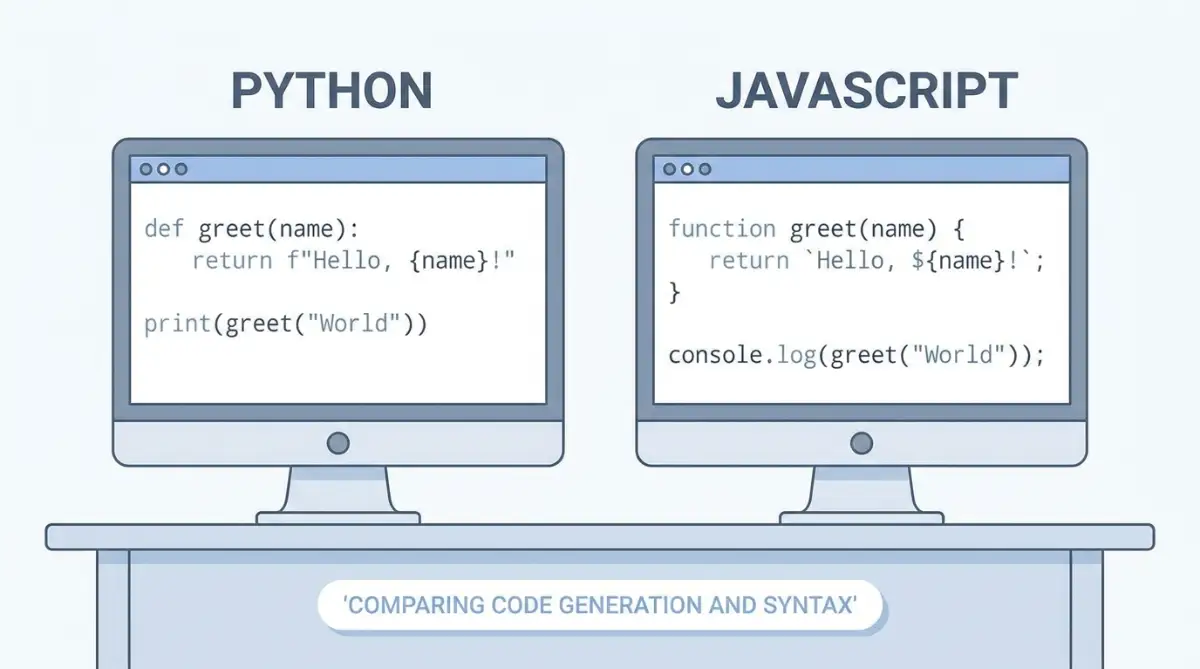
### At a Glance: Choosing Your Assistant
Before diving into the deep technical analysis, here is a quick overview of how the industry-leading models perform across key development tasks in 2026:
***Best for Complex Architectures & Codebase Refactoring:** Claude Fable 5 or Claude Opus 4.8 (offers superior reasoning and massive context handling).
***Best for Fast Scripting, Quick Syntax Lookups, & CLI Integration:** GPT-5.5 (optimized for speed and active terminal tasks).
***Best for Budget-Conscious Prototyping:** Gemini 3.1 Pro (highly cost-efficient for multimodal projects).
Finding the Perfect Match: A Practical Coding Guide
Choosing the right tool to help you write code is not about finding the smartest system. It is about finding the tool that matches how your brain works. Let us look at three practical ways to test and compare these systems for your daily projects.
┌────────────────────────────────────────┐
             │   Which AI Fits Your Coding Needs?     │
             └────────────────────────────────────────┘
                          │
         ┌────────────────┴────────────────┐
         ▼                                 ▼
┌─────────────────┐               ┌─────────────────┐
│     CHATGPT     │               │     CLAUDE      │
├─────────────────┤               ├─────────────────┤
│ • Fast scripts  │               │ • Clean syntax  │
│ • Custom GPTs   │               │ • Large files   │
│ • Voice search  │               │ • System logic  │
└─────────────────┘               └─────────────────┘
"In 2026, comparing AI for software development is no longer about generic chatbots. We are now dealing with highly specialized systems like OpenAI’s speed-optimized GPT-5.5 and Anthropic’s flagship reasoning models, Claude Opus 4.8 and Claude Fable 5. While GPT-5.5 excels at rapid-fire terminal commands and quick scripting tasks, Claude Opus 4.8 dominates when it comes to refactoring large codebases and planning complex, multi-layered system architectures. Choosing the right tool depends entirely on the scope of your project."
Step 1: Evaluating Code Generation and Syntax Accuracy
Want to see how these AI coding assistants perform on real code tests? Watch this quick breakdown video to see ChatGPT and Claude face off in live debugging and project generation before reading the full analysis below!
When you start a new software project, you usually need a lot of basic setup code. This setup is often called boilerplate code. A good assistant should generate this code instantly without any small typos.
ChatGPT is well-known for its speed. When you ask it to write a basic server setup in Node.js or Python, it responds in a few seconds. The code is usually standard and follows common patterns.
However, ChatGPT sometimes uses slightly older coding packages. This can cause issues if you are trying to use the latest updates of a language. You must be specific about the versions you want to use.
# --- ChatGPT Code Pattern: Fast and functional, but missing comprehensive resilience features ---
import asyncio
import aiohttp


async def fetch_user_data(user_ids, api_url):
    results = []
    async with aiohttp.ClientSession() as session:
        for uid in user_ids:
            # Executes requests sequentially in a loop, losing the true benefit of concurrency
            async with session.get(f"{api_url}/users/{uid}") as response:
                if response.status == 200:
                    data = await response.json()
                    results.append(data)
    return results
Claude takes a slightly different path when writing code. It focuses heavily on current practices and clean formatting. If you ask Claude for the same setup, it often includes error handling without you even asking for it.
The syntax from Claude feels like it was written by a careful senior developer. It uses modern features of languages like TypeScript or modern Python. This saves you from having to clean up the code later.
# --- Claude Code Pattern: Highly production-ready, featuring strict concurrency controls and robust safety measures ---
import asyncio
import logging
from typing import List, Dict, Any, Optional
import httpx


# Configure resilient logging for operational observability
logging.basicConfig(level=logging.INFO)
logger = logging.getLogger("APIClient")


async def fetch_user_data_safely(
    user_ids: List[int],
    api_url: str,
    max_concurrency: int = 5,
    timeout_seconds: float = 10.0
) -> List[Optional[Dict[str, Any]]]:
    """
    Fetches user data concurrently while limiting resource usage with a semaphore,
    handling request limits, and capturing structural errors gracefully.
    """
    # Restricts parallel outbound connections to prevent rate-limiting/exhaustion
    semaphore = asyncio.Semaphore(max_concurrency)
    limits = httpx.Limits(max_connections=max_concurrency, max_keepalive_connections=2)

    async def fetch_single_user(client: httpx.AsyncClient, uid: int) -> Optional[Dict[str, Any]]:
        async with semaphore:
            try:
                response = await client.get(f"/users/{uid}", timeout=timeout_seconds)
                response.raise_for_status()
                return response.json()
            except httpx.HTTPStatusError as http_err:
                logger.error(f"HTTP error {response.status_code} for user {uid}: {http_err}")
            except httpx.RequestError as req_err:
                logger.error(f"Network request failed for user {uid}: {req_err}")
            except Exception as unexpected_err:
                logger.error(f"Unexpected processing error for user {uid}: {unexpected_err}")
            return None


    # Reuses connection pool for better resource allocation
    async with httpx.AsyncClient(base_url=api_url, limits=limits) as client:
        tasks = [fetch_single_user(client, uid) for uid in user_ids]
        # Executes tasks in parallel
        return await asyncio.gather(*tasks)
To test this yourself, try asking both models to write a script that connects to an external database. Look at how they handle hidden database passwords.
ChatGPT might write a quick script with a placeholder password. Claude will likely remind you to use environment files to keep your secret keys safe. This attention to detail is highly important for security.
Why the shift from aiohttp to httpx in the compariso
A Technical Breakdown of Claude's Resilient Pattern:n above?
- Active Concurrency Control ( Unlike the sequential loop in the first example which negates asynchronous benefits, Claude introduces a semaphore. This limits simultaneous outbound connections to 5, preventing socket exhaustion and avoiding getting rate-limited or blocked by the destination server's firewall.
- Robust Connection Pooling ( Reusing connections via httpx.AsyncClient with defined connection limits reduces TCP handshake overhead, dramatically speeding up high-frequency API calls.
- Graceful Exception Handling: The code wraps the request in a granular try-except block, categorizing errors into HTTP errors, connection request errors, and unexpected system errors. This ensures that a single failed network call does not crash the entire application process.
While aiohttp remains a classic choice for asynchronous Python requests, modern developers increasingly prefer httpx for its clean, standard-compliant API and native support for both HTTP/1.1 and HTTP/2. Claude's tendency to choose modern, well-maintained libraries like httpx—combined with strict type hinting—ensures that the generated code is not only clean but also robust when deployed in modern production environments.
Step 2: Testing Debugging Speed and Troubleshooting Capabilities
Writing new code is only half of your work. The hardest part is finding out why your current code is not working. You need an assistant that can read a messy error log and spot the exact line that broke.
[Error Log Input]
       │
       ├─► ChatGPT: Quick fixes, suggests common issues, highly interactive.
       │
       └─► Claude: Reads the whole context, explains the root cause, offers neat patches.
Let us look at how ChatGPT handles debugging tasks. If you paste a long trace of errors from a React application, ChatGPT acts like a helpful teammate. It will offer three or four possible reasons for the error.
This is helpful because it gives you several ideas to explore. ChatGPT is also highly interactive. If the first suggestion does not work, you can easily tell it what happened, and it will try a different way.
On the other hand, Claude behaves more like a computer science professor. When you paste an error, it does not just give you a list of quick fixes. It explains the core logic of why the error happened in the first place.
Claude reads the surrounding code to see how different parts of your system talk to each other. It then offers a single, well-thought-out fix. This fix usually addresses the main issue instead of just covering up the symptoms.
Here is a simple comparison of how they tend to explain errors:
Feature ChatGPT Claude Explanation Style Short, active, and conversational Structured, deep, and educational Response Speed Fast replies, perfect for quick fixes Moderate speed, highly detailed Approach to Bugs Offers multiple choices to try Offers one main structural solution Error Trace Reading Focuses on the specific broken line Analyzes how the error affects the whole file
For instance, if you have a database memory leak, ChatGPT might suggest restarting your server. Claude will likely point out that you forgot to close your database connection inside a specific loop.
This deep analysis makes a big difference when you are dealing with complex bugs. It saves you from deploying temporary fixes that might break your application again tomorrow.
Step 3: Analyzing Context Memory and Codebase Mapping
As your software grows, it becomes harder to keep all your code in one file. You start having dozens of folders and hundreds of lines of code that connect in complex ways. This is where context memory becomes the most important feature.
Context Window Capabilities at a Glance:
- Standard Context Models (e.g., GPT-5.5 base): Optimized for single files, isolated scripts, and fast, modular functions.
- Large Context Models (e.g., Claude Fable 5 & Opus 4.8): Tailored for reading entire codebases, multi-file dependency trees, structural refactoring, and mapping end-to-end data pipelines.
ChatGPT uses a decent memory window, but it can lose track of details in long conversations. If you upload five different code files, it might forget the functions written in the first file by the time you ask about the fifth one.
To get the best results with ChatGPT, you need to keep your prompts small. You should break your questions into tiny, isolated pieces. This works well for independent functions but is difficult for entire systems.
Claude shines when it comes to handling massive amounts of information. Its large memory window allows you to upload entire folders of code at once. It can remember how your front-end user interface connects to your back-end database settings.
You can ask Claude to explain how data flows through your entire system. It will trace the path from the moment a user clicks a button to the moment a database entry is updated.
This makes Claude an incredible tool for refactoring. If you want to change a variable name that is used in ten different files, Claude can write the updated code for all ten files without losing track.
Here is a quick realization I learned the hard way after accidentally breaking a project database: never ask an AI to fix complex logic without feeding it the whole folder structure first. Once I started giving my assistant full multi-file context instead of single snippets, my runtime errors dropped instantly.
- Keep your files modular: Divide your code into small, single-purpose files before sharing them with any AI system.
- Provide clean context notes: Add a short comment at the top of each file explaining what that specific file does.
- Specify your technology stack: Always state the programming language and database systems you are using at the start of your chat.
- Use clear naming patterns: Avoid naming files "test1.js" or "temp.py" because this confuses the AI's logical reasoning.
- Review imports manually: Double-check that the AI has not created imaginary file paths when importing other modules.
Setting Up a Smart AI Coding System
To get the most out of these systems, you should build a clean workflow. Do not rely on just one model for everything. Instead, use their unique strengths at different stages of your development cycle.
┌──────────────────────────────────────┐
               │    The Hybrid Coding Workflow        │
               └──────────────────────────────────────┘
                                  │
         ┌────────────────────────┴────────────────────────┐
         ▼                                                 ▼
┌─────────────────────────────────┐       ┌─────────────────────────────────┐
│       PHASE 1: CHATGPT          │       │        PHASE 2: CLAUDE          │
├─────────────────────────────────┤       ├─────────────────────────────────┤
│ • Quick brainstorming queries   │       │ • Complex system planning       │
│ • Generating basic boilerplate  │       │ • Codebase-wide refactoring     │
│ • Writing simple shell scripts  │       │ • Spotting hidden logic bugs    │
└─────────────────────────────────┘       └─────────────────────────────────┘
You can use ChatGPT for your daily quick questions. Its speed makes it perfect for looking up simple syntax rules or writing quick scripts. It acts like a fast digital reference manual.
When you need to design a system architecture or find a complex memory leak, switch to Claude. Take your time to write a detailed prompt explaining your system goals. Let Claude analyze the deep logic of your project.
This mixed approach gives you the best of both options. You save time on small tasks and avoid major errors on large systems. It turns these AI chatbots into a powerful team of digital assistants.
Always remember that you are the lead developer. Never copy and paste code that you do not fully understand. Read each line, test it in a safe testing environment, and make sure it meets your safety standards.
With these simple strategies, you can stop fighting with your tools. You will start building cleaner software, saving time, and finding the joy of coding once again.
Professional Coding Workflows: Advanced Strategies for AI-Powered Developers
To get the absolute best results from your AI programming assistants, you must go beyond simple chat boxes. Professional developers use systematic strategies to make these tools think more clearly. You can study the official OpenAI API Reference to understand how system instructions help shape AI responses.
By setting up clean environments and rules, you can stop getting random, buggy answers. It is also helpful to review the Anthropic Claude Documentation to see how clean system prompts improve output quality. Let us explore the advanced steps to turn these models into highly reliable development partners.
┌───────────────────────────────────────────────────────────┐
│              System Prompt Architecture                   │
├───────────────────────────────────────────────────────────┤
│  [System Role] -> e.g., "You are an expert Python dev"    │
│  [Rules Block] -> e.g., "Use clean modern syntax"        │
│  [Input Code]  -> Paste your actual project files         │
│  [Format Output]-> Ask for neat JSON or clean scripts     │
└───────────────────────────────────────────────────────────┘
The Hard Truth in Numbers: 2026 Developer Benchmarks
When deciding on the right AI partner, looking past marketing claims and analyzing concrete benchmarks is crucial [1]. The coding landscape in 2026 is dominated by highly sophisticated, agentic benchmarks like SWE-bench Pro (which measures a model's ability to solve real, end-to-end issues in massive open-source codebases) [1][2] and Frontier Code (testing production-grade implementation on complex code bases) [2].
Let's look at how the latest models stack up:
AI Mode l S W E-bench Pro (Pass Rate %) Frontier Code (Diamond Split %) Primary Strength / Optimal Workload Claude Fable 5 (Mythos Class)80.3%29.3%Large-scale migrations, multi-day autonomous agent runs [2][3] Claude Opus 4.869.2%13.4%Complex architecture planning, refactoring [1][2] GPT-5.558.6%5.7%Fast scripts, active terminal execution, low-latency API tasks [1][2] Gemini 3.1 Pro54.2%3.1%Fast prototyping, simple multi-modal tasks [2]
Source: Compiled from official model evaluation releases and developer ecosystem reports, Q2 2026 [1, 2, 3].
While Claude Fable 5 sets the gold standard for long-horizon, autonomous migrations on 50-million-line codebases [2][3], GPT-5.5 continues to hold a strong position for terminal operations and rapid-fire queries that don't require heavy context ingestion [1].
Step 4: Mastering Advanced Prompt Engineering and System Contexts
Many people fail to get good code because they write short, simple prompts. If you ask an AI to "write a database script," it has to guess your database type, your safety needs, and your file structure. To get perfect results, you must give the AI a clear role, strict rules, and structured input context.
When you use Claude, you can use XML tags to organize your prompts. These tags look like HTML code and help the AI separate your instructions from your raw code files. For example, you can wrap your code inside tags so the model knows exactly what to analyze.
You are a senior software engineer who writes safe TypeScript code.


// Paste your actual script files here


Find any memory leaks in the source code above and offer clean fixes.
Using explicit XML tags like and helps the underlying model clearly distinguish between the raw source files you want it to analyze and the commands you want it to execute. Without these structured boundaries, models can sometimes suffer from instruction injection, treating comments or strings within your code as active prompt instructions, which leads to incomplete outputs or execution errors.
When you work with ChatGPT, it is highly useful to give the system a clear persona first. You can tell it to act like a senior database engineer who hates long, messy loops. ChatGPT loves interactive rules, so you can tell it to ask you clarifying questions before it writes any code.
"For instance, if you are building a complex microservices API gateway or a high-performance database caching layer, you must prompt the AI for strict performance boundaries. You should instruct the model to write robust connection pool limits, handle edge-case timeout failures, and output separate unit test scripts to verify the integrity of your data pipeline."
Another highly useful trick is to ask the models to return their answers in structured formats like JSON. This is helpful if you want to feed the AI's output directly into another program. Claude is exceptionally good at following complex formatting rules without breaking the layout.
{
  "status": "success",
  "issues_found": 2,
  "fixes": [
    {
      "line": 42,
      "old_code": "let total = price",
      "new_code": "const total = Number(price)"
    }
  ]
}
#### A Reusable System Prompt Template for Clean Code
To make your prompting process easier, you can copy, modify, and paste this structured system prompt template into your custom instructions or custom GPT settings:
Role: You are an expert software engineer specializing in clean, modern, and highly resilient code architectures.
Task: Analyze the provided codebase context and address the user's instructions under the following constraints:
1. Code Safety & Robustness: Always include appropriate error handling (such as try-catch blocks or graceful fallback states) for any database queries or network connections.
2. Minimalism: Do not introduce external libraries unless explicitly requested. Prefer using modern, built-in language features.
3. Clarity over Conciseness: Avoid using code placeholders (like "// ... existing code here") inside the critical logical segments. Provide full, readable, and copyable snippets.
4. Language Standards: Use explicit type annotations (for Python, TypeScript, etc.) and adhere to standard formatting guidelines (like PEP 8 for Python).
Step 5: Integrating AI Directly Into Your Code Editor and CLI
By 2026, the workflow of copying and pasting code back and forth between a web browser and an editor is largely obsolete. Professional software engineers rely heavily on IDE integrations and CLI agents that have direct access to their active workspace. This section outlines how to configure these tools for maximum productivity while keeping your API token budget firmly under control.
1. Leveraging Codebase Indexing in Modern IDEs (Cursor and VS Code)
Modern development environments use local indexing to generate codebase embeddings. This allows your AI assistant to understand the relationship between different modules, such as how your Express router imports a specific validation middleware.
To ensure your assistant has the correct context without overloading its memory, you must manage what it indexes. By default, letting an AI scan every file in your directory can result in massive token consumption and slow response times.
Actionable Configuration:
Always create a .cursorignore (or .copilotignore depending on your editor) in the root of your project. This prevents the AI from indexing redundant, auto-generated, or sensitive files:
# .cursorignore
# Ignore heavy dependency folders
node_modules/
dist/
build/
.next/

# Ignore lockfiles and temporary database files
package-lock.json
yarn.lock
*.db
*.log

# Ignore local environment secrets
.env
.env.local
.env.production
2. Mastering CLI-Based Agentic Workflows with Claude Code
Running an agentic assistant directly inside your terminal has redefined command-line productivity. Anthropic’s native utility, Claude Code, acts as an interactive terminal collaborator. It can run tests, read compiler errors, write patches, and execute commands under your direct supervision.
For example, when dealing with a failing test suite, instead of manually debugging, you can run:
claude "Run the Jest test suite, identify why the user authentication test is failing, and write a patch to fix it"
Safety Best Practices for CLI Agents:
- Always Use Interactive Mode: Do not grant autonomous execution permissions (-y flags) for commands that write files or make external network requests.
- Review Git Diffs: Before committing code generated by a CLI agent, always run git diff to inspect every line. AI agents can sometimes optimize a single function while accidentally removing adjacent utility methods.
3. Understanding Token Economics and Minimizing API Costs
Using state-of-the-art models like Claude Fable 5 or GPT-5.5 via developer APIs requires a basic understanding of input and output token costs [1, 2]. Large codebase sweeps can quickly accumulate significant charges if not monitored.
To estimate your potential monthly costs, apply the following formula:
Estimated Monthly Cost=(Average Input Tokens per Query×Queries per Day×301,000,000)×Price per Million Tokens Estimated Monthly Cost=(1,000,000 Average Input Tokens per Query×Queries per Day×30 )×Price per Million Tokens
If your active workspace contains 100,000 tokens (roughly 1.5MB of raw source code), indexing it entirely on every query can become highly expensive.
Practical Steps to Keep Costs Predictable:
- Toggle Codebase Context: In tools like Cursor, use @Files or @Codebase selectively. Only query the entire codebase when performing system-wide refactoring. For routine code generation, reference only the specific files you are editing.
- Set Hard Spending Limits: Navigate to your Anthropic Console or OpenAI Developer Dashboard. Set a Soft Limit (e.g., $15/month) to receive email alerts, and a Hard Limit (e.g., $30/month) to automatically block further API requests once the budget is exhausted.
- Prefer Speed-Optimized Models for Routine Tasks: Use GPT-5.5 or Gemini 1.5 Flash for writing basic unit tests, regular expressions, or simple terminal commands [1, 2]. Reserve premium models like Claude Fable 5 for architectural planning, debugging memory leaks, and complex logic refactoring [2].
Long-Term Strategies for Career Growth with AI Tools
Using AI should not make you a lazy programmer who simply copies and pastes code. Instead, you should use these tools to learn new programming concepts and grow your career. When an AI writes a script for you, take ten minutes to study how it structured the functions.
┌──────────────────────────────────────────────────────────┐
│              The Active Learning Loop                    │
├──────────────────────────────────────────────────────────┤
│  1. AI Generates Code -> 2. You Study the Logic           │
│  3. You Test for Security -> 4. You Rewrite and Improve  │
└──────────────────────────────────────────────────────────┘
You can build your own library of clean, successful prompts that you can reuse on future projects. Store these prompts in a simple markdown file on your desktop. This helps you build a highly reliable system that saves you hours of setup time on every new project.
Always prioritize safety and clean code habits over quick results. "Rushing into a software project without a solid database schema design or system architecture is like building a house on shifting sand. When the time comes to scale your application, the early shortcuts you took will force you to rewrite your entire backend—costing you valuable time and resources."
When starting out with a new language, building small automated tools is a great way to learn. Creating simple apps, "building lightweight, single-purpose utilities—like an automated Docker log parser or a Redis caching middleware—is an excellent way to practice and sharpen your skills." For instance, building a lightweight Python script that parses raw Docker logs to find failed database connection strings, or setting up a simple Node.js middleware that caches API responses in Redis, serves as a realistic target. These isolated environments allow you to ask the AI assistant detailed questions about memory management and network safety without exposing complex production codebases. can serve as perfect practice modules. You can ask the AI to explain every line of code as you build these simple projects step by step.

The Dangerous Pitfalls: Five Costly Errors to Avoid in AI Programming
While these tools are highly helpful, relying on them blindly can cause massive problems. Many developers make simple mistakes that lead to broken databases and leaked customer information. Let us examine the five most common errors you must avoid when programming with AI.
┌────────────────────────────────────────┐
              │      Five Dangerous AI Habits          │
              └────────────────────────────────────────┘
                           │
         ┌─────────────────┼─────────────────┐
         ▼                 ▼                 ▼
┌─────────────────┐ ┌─────────────────┐ ┌─────────────────┐
│ 1. Blind Trust  │ │ 2. Key Leaks    │ │ 3. Code Bloat   │
│ No manual tests │ │ Pasting secrets │ │ Too many lines  │
└─────────────────┘ └─────────────────┘ └─────────────────┘
         │                                   │
         └─────────────────┬─────────────────┘
                           ▼
                  ┌─────────────────┐ ┌─────────────────┐
                  │ 4. No Unit Tests│ │ 5. No Reviews   │
                  │ Untested logic  │ │ Lazy copy-paste │
                  └─────────────────┘ └─────────────────┘
1. Blind Trust in Generated Code Logic
The biggest mistake you can make is assuming that AI-generated code is always correct. AI models are built to predict words, not to run tests in their heads. They can easily create code that looks beautiful but fails when real users try to log in.
If you copy-paste code without checking it, you might introduce hidden security bugs. These bugs can leave your user databases open to malicious hackers. Always run a local server and test the code yourself before putting it online.
2. Accidentally Pasting Secure API Keys and User Data
When you are in a rush to fix a bug, it is easy to copy your entire file and paste it into the AI chat box. This is highly dangerous if your file contains database passwords, private API keys, or customer emails. Public AI servers might save this information in their history logs.
If these logs are ever leaked, your private project data could end up on the public internet. Always scrub your code and remove any secret keys before sharing it with an AI tool. Use safe local environment variables to load your keys instead of typing them directly into your scripts.
# DANGEROUS: Never paste this into an AI chat box!
API_KEY = "my-secret-password-12345"

# SAFE: Load your secret keys securely
import os
API_KEY = os.getenv("MY_PROJECT_API_KEY")
### Understanding Data Training and Privacy Policies
When working with proprietary software or sensitive database schemas, understanding how AI providers handle your data is critical for compliance:
***Consumer Chat Interfaces:** If you copy and paste your code directly into the free web-based chat interfaces of ChatGPT or Claude, your inputs may be stored and used to train future iterations of the models. You must manually opt out of data sharing in the privacy settings of your account dashboard to keep your code private.
***Developer APIs and Enterprise Accounts:** Both OpenAI and Anthropic state in their standard terms of service that data sent through developer APIs (which power editor integrations like Cursor or terminal CLIs) or official Enterprise plans is not utilized for model training.
Quick Steps to Opt Out of Data Training on Web Interfaces:
- For ChatGPT: Navigate to Settings > Data Controls, and toggle off 'Chat history & training'. Alternatively, utilizing the 'Temporary Chat' feature prevents your inputs from being saved or used for future model training.
- For Claude: Go to Settings > Data Control, or submit a privacy request through Anthropic’s dedicated user privacy portal to ensure your consumer-tier chats remain strictly confidential.
If you are working on commercial products, a safe practice is to route your tasks through API keys under developer tiers or utilize your company's dedicated Enterprise workspace with active SOC2 compliance.
3. Allowing Code Bloat to Ruin Your App Performance
AI models love to write long, highly detailed code files. If you ask an AI to fix a simple button, it might rewrite forty lines of unnecessary code. Over time, this extra code makes your application heavy and incredibly slow to load.
This extra code also makes it much harder for human developers to read your project in the future. Keep your scripts as small and clean as possible. If the AI offers a long, complex function, ask it if there is a simpler way to write the same logic.
4. Skipping Unit Tests for Automated Features
Many developers get so excited by how fast the AI writes code that they skip writing tests. This is a recipe for system failure. A tiny update to a database script can break three other parts of your website without you knowing.
You should always make your AI assistant write comprehensive unit tests for its own code. These tests act like automated security guards. If the AI writes a bad function, the unit tests will catch the mistake immediately before your users notice.
// Ask the AI to write clear tests for every single feature
test('calculates correct tax rates', () => {
  expect(calculateTax(100)).toBe(10);
  expect(calculateTax(0)).toBe(0);
});
5. Losing Your Personal Programming Instincts
If you let the AI do all the hard thinking for you, your own problem-solving skills will start to fade. You might find yourself unable to write even a basic program without looking at a chat window. This can hurt your performance during technical job interviews.
Use the AI as a helpful research assistant, not as the main driver of your brain. Try to solve the logic puzzles yourself first before asking the chatbot for help. This keeps your mind sharp and ensures you remain the true author of your software.
Taking Control: Your Next Steps in the AI Programming Journey
We are living in an exciting era where anyone can build software with the right digital assistants. Both ChatGPT and Claude are incredible tools that can save you hundreds of hours of manual typing. The key is knowing which tool to use for the specific task in front of you.
┌──────────────────────────────────────────────────────────┐
│               Your Quick Action Checklist                │
├──────────────────────────────────────────────────────────┤
│  [ ] Try ChatGPT for quick scripts and speedy syntax.    │
│  [ ] Use Claude for long files and complex logic checks. │
│  [ ] Create clean system prompts with clear rules.       │
│  [ ] Test every single line of code before deploying.    │
└──────────────────────────────────────────────────────────┘
Use ChatGPT when you need to brainstorm ideas, create quick automated scripts, or look up basic language rules. Its speed and conversational style make it feel like a helpful, supportive teammate. It is perfect for getting a project off the ground in a matter of minutes.
Turn to Claude when you are working on large codebases, deep logical bugs, or complex software architectures. Its large memory window and attention to detail make it look like an experienced senior developer. Claude will help you keep your system secure, clean, and easy to maintain.
Now is the perfect time to open your editor and test these strategies on your own projects. Start with a small, simple script and build your confidence step by step. With a patient mind and clean testing habits, you can build incredible tools that make a real difference in your daily life.
### Frequently Asked Questions (FAQs)
**Q1: Which AI model is recommended for debugging runtime memory leaks?**
*Answer:* Claude (specifically Fable 5 or Opus 4.8) is highly recommended for complex debugging. Thanks to its larger context window and deep structural reasoning, it can analyze entire codebase files and trace call stacks to find root causes, unlike generic chat models that only propose surface-level syntax fixes [1, 2].
**Q2: Is my proprietary code safe when I paste it into these AI tools?**
*Answer:* If you paste code directly into free consumer web chats, your data may be stored to train future models unless you manually opt out in your account settings. However, both OpenAI and Anthropic guarantee that data sent through developer APIs (used in tools like Cursor or terminal CLIs) and enterprise workspaces is strictly private and is not used for model training.
**Q3: Can I run these advanced coding models completely offline on my local machine?**
*Answer:* No, GPT-5.5, Claude Fable 5, and Claude Opus 4.8 are proprietary, cloud-hosted models that require an active API connection. If you need a fully offline environment, you must use open-weights local models (such as Llama 3 or Mistral) running on local hardware.
**Q4: How can I prevent unexpectedly high API bills when using AI in my editor?**
*Answer:* To control costs, configure your IDE extensions (like Cursor or VS Code) to only index your active workspace directories, explicitly exclude heavy folders like `node_modules` or `.git` from the context search paths, and set strict daily spending limits on your developer API dashboards.
Conclusion: Which AI Assistant Should You Use?
Ultimately, the choice between ChatGPT and Claude comes down to the scale and immediate needs of your project.
- Reach for ChatGPT (powered by GPT-5.5) when you need high-speed code generation, quick syntax reminders, small shell scripts, or interactive command-line troubleshooting [1][4]. It functions as a rapid, highly responsive developer's pocket-tool.
- Reach for Claude (powered by Opus 4.8 or Fable 5) when you are managing complex migrations, refactoring intricate folder structures, resolving elusive logic loops, or aiming for highly structured, production-ready output with built-in safety parameters [1][2][3].
Instead of choosing one tool exclusively, the most successful developers in 2026 employ a hybrid approach: brainstorming and writing base boilerplate with the speed of ChatGPT, and using Claude's massive context window to refine, audit, and safely integrate code into production environments[1][4]. By treating both as distinct, specialized assistants rather than all-knowing generalists, you can maximize your development efficiency and build clean, scalable systems.
Coding with AI does not have to feel like a constant struggle against bad suggestions. When you match the right model to the right coding task, you get your time back and actually enjoy building software again. Pick one simple script to refactor today, apply these strategies, and see how fast your workflow improves!
References:
- OpenAI Technical Evaluations: For detailed analysis on the low-latency coding performance of GPT models, see the OpenAI Developer Research Hub.
- Anthropic Benchmark Suite: To review full evaluations on SWE-bench Pro and Frontier Code datasets, visit the Anthropic News and Research Releases.
- SWE-bench Pro Dataset: To analyze how leading autonomous agentic workflows perform on real-world open-source issues, refer to the official SWE-bench Project Site.
- Standard Data Privacy Agreements: Review the privacy commitments for API-tier integration at OpenAI API Data Usage Policies and Anthropic Privacy Policy Guidelines.
Disclaimer:
General Information and Educational Purpose
The information, code snippets, configurations, and benchmarking data provided in this article are for educational and informational purposes only. While efforts have been made to present accurate and up-to-date technical workflows as of Q2 2026, the software development industry and artificial intelligence technologies evolve rapidly.
Code Validation and Liability
All code patterns, command-line instructions, and setup templates are provided on an "as-is" basis without warranties of any kind, either express or implied. You are solely responsible for independently reviewing, testing, and validating any suggested code in a secure, non-production sandbox environment before deployment. The author and publisher assume no liability for production failures, system downtime, runtime errors, or logical vulnerabilities introduced by executing AI-generated suggestions.
Data Privacy and Security
While this article discusses standard data privacy policies and local indexing safety, AI service providers update their terms of service, API policies, and data processing agreements frequently. Readers are urged to verify the current privacy settings and compliance standards of OpenAI, Anthropic, Google, or any other third-party provider before pasting proprietary source code, database schemas, or customer data into these interfaces. Always secure your API keys, credentials, and sensitive environment variables locally.
Token Economics and Financial Cost
Any cost estimation formulas, token counts, and pricing structures discussed are illustrative. Actual API and workspace indexing costs can vary significantly depending on API usage patterns, model updates, and provider-specific pricing changes. It is your responsibility to monitor developer consoles, track billing metrics, and configure spending limits to prevent unexpected financial charges.
No Official Endorsement
The views and evaluations expressed in this article are those of the author alone. This content is independent and is not officially endorsed by, sponsored by, or affiliated with Anthropic, OpenAI, Google, or any of the respective software products mentioned herein.