How to Fix Distorted Hands and Faces in AI Generated Images
You finally get the perfect composition, the right lighting, the exact mood you were going for. Then you look closer and notice it: six fingers, a hand bending in a way no human hand actually bends, or a face that's just slightly, unsettlingly off.
I remember spending three hours generating a client's portrait last month, only to realize the character had seven fingers on one hand. I kept hitting the regenerate button over and over, hoping for magic, but my frustration only grew with every new glitch. That painful experience forced me to sit down and figure out how AI handles body structure so I would never waste time like that again.
It's frustrating, especially when everything else about the image looks genuinely impressive. The one detail that ruins it always seems to be the same one.
Here's some reassurance before we go further. Distorted hands and faces are one of the most common and well-understood limitations in AI image generation, and there are real, practical techniques to fix or avoid them.
Why This Specific Flaw Feels So Frustrating
Distorted hands and faces don't just look odd. They undermine confidence in an otherwise impressive piece of generated artwork.
- You spend time crafting the perfect prompt, only to have the result ruined by a single distorted detail
- You're not sure if the issue is your prompt, the specific tool you're using, or something unfixable about the technology itself
- You've tried regenerating the same prompt repeatedly, hoping for a better result, with inconsistent success
- You feel like you're missing some trick that other people seem to already know about
A lot of people don't realize there are specific, well-understood reasons behind this particular flaw, which makes it feel like a random, unsolvable annoyance rather than something with real solutions.
- Many users don't know that hands and faces are statistically more complex for these models to learn accurately compared to simpler shapes
- Without specific correction techniques, like inpainting or targeted prompt adjustments, people often just regenerate repeatedly and hope for better luck
- Generic prompts rarely address the specific structural issues that cause distorted hands in the first place
- Without understanding why this happens, it's easy to assume the technology simply isn't capable of producing accurate results, even though targeted fixes exist
There's a real frustration tied to this specific issue. Putting genuine creative effort into a prompt, only to have the final result undermined by something that looks like a glitch, is a uniquely annoying experience.
- It can make an otherwise beautiful piece of generated art feel unusable for its intended purpose
- It adds extra time and effort to a process that's supposed to feel quick and creative
- It can make you hesitant to share or use AI generated artwork, worried someone will immediately notice the flawed detail
Here's the encouraging part: distorted hands and faces have specific, well-understood causes, and that means there are equally specific, practical techniques to fix them.
Hands are particularly difficult for these models because they're highly variable in pose, angle, and finger position across virtually every photo in their training data. Unlike simpler shapes that look fairly consistent from most angles, hands can be bent, overlapping, partially hidden, or foreshortened in countless ways, making the underlying pattern significantly harder for a model to learn consistently.
Faces present a different but related challenge. While faces are generally simpler in structure than hands, small distortions are far more noticeable to human viewers, since people are naturally highly attuned to recognizing subtle facial irregularities. A minor flaw that might go unnoticed on an object becomes immediately obvious on a face.
What You'll Need Before You Start
Gather these basics to start correcting distorted hands and faces effectively:
- An AI image generator that supports inpainting (regenerating just a specific selected area of an image)
- A clear understanding of your original prompt, so you can adjust it precisely
- Reference images of hand poses or facial expressions, if your tool supports image-guided generation
- Patience for several regeneration attempts, since correction often takes a few tries to get right
Most modern AI image generators include at least basic versions of these tools already built in.
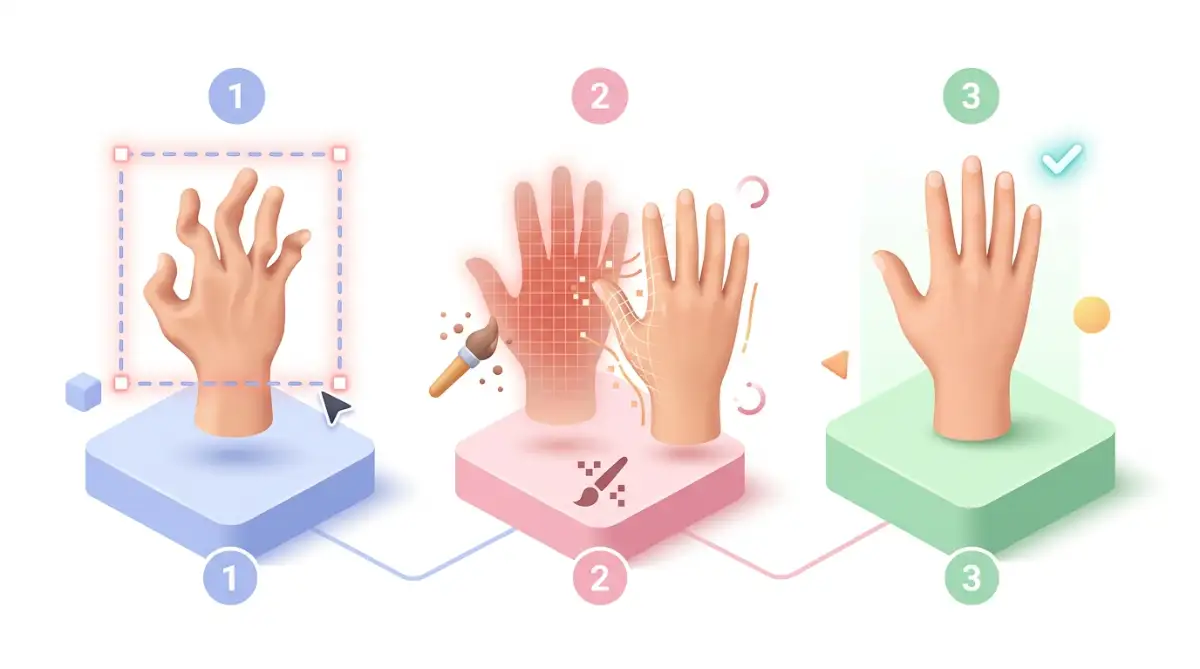
Step 1: Use Inpainting to Regenerate Just the Problem Area
Here is a quick lesson I learned the hard way: never hit the full regenerate button when only a hand or face is broken. Instead, always use inpainting to isolate that tiny bad spot and write a super simple prompt like "a relaxed five-fingered hand." This small habit saved me endless hours of re-rolling prompts and kept my original lighting intact.
This is the single most effective technique for fixing a distorted hand or face without losing the rest of an otherwise good image.
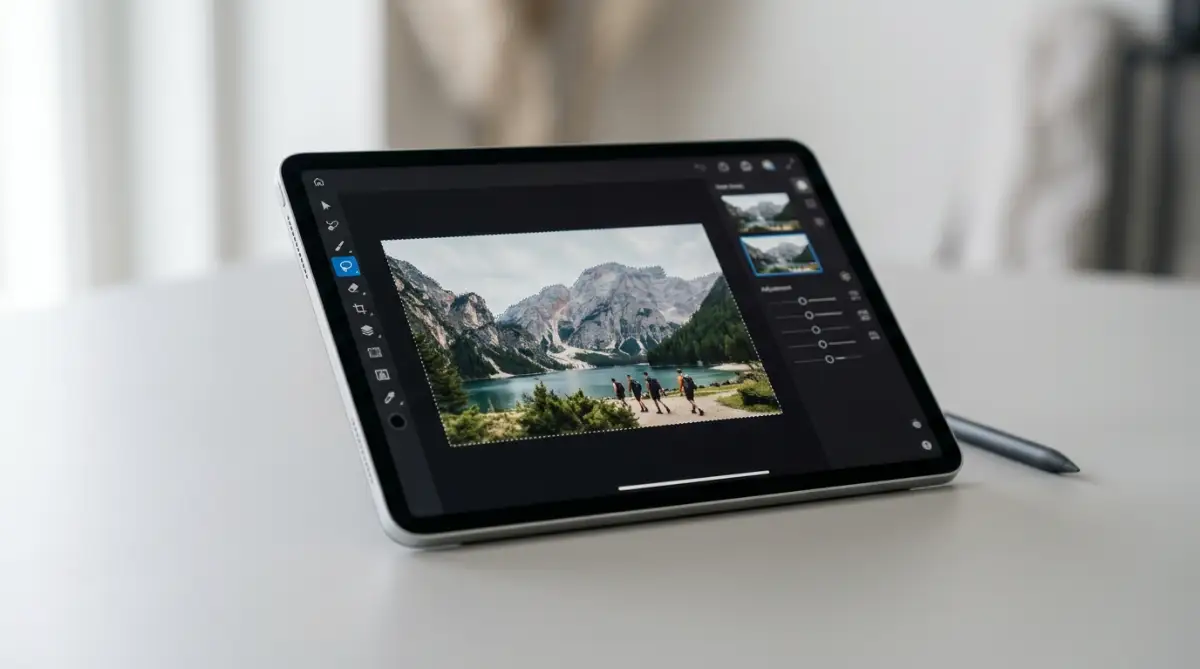
Select just the distorted area, like a hand or part of a face, using your tool's inpainting or selective regeneration feature. This tells the AI to regenerate only that specific region, while keeping the rest of the image exactly as it was.
Write a focused, specific prompt for just that selected area, like "a relaxed open hand with five fingers visible" rather than reusing your full original prompt. This narrows the model's focus specifically to the detail that needs correcting.
Think of this the way you'd think about retouching a photo. You don't need to redo the entire image to fix one flawed detail. You isolate and correct just that specific area.
Want to see these exact step-by-step inpainting techniques in action? Watch this quick video tutorial to master fixing AI hands and faces, then keep reading below for advanced pro tips!
Step 2: Add Specific, Descriptive Language About Hand and Face Structure
Vague prompts give the model very little structural guidance, which often leads to exactly the kind of distortion you're trying to avoid.
Include specific details about hand position and finger count directly in your prompt, like "hands resting naturally with five fingers each" or "hand holding a cup with visible fingers wrapped around it." This gives the model clearer structural guidance to follow.
For faces, specify angle, expression, and lighting clearly, like "a front-facing portrait with soft natural lighting and a relaxed expression." Clearer descriptions reduce the range of ambiguous interpretations that can lead to subtle distortions.
This works because specificity narrows down which patterns from training data the model draws from, reducing the chances of blending conflicting or rare hand and face configurations into a single distorted result.
Step 3: Use Negative Prompts to Actively Avoid Common Issues
Many AI image generators support negative prompts, a way to specifically tell the model what to avoid in the final image.
Add terms like "extra fingers," "deformed hand," or "asymmetrical face" to your negative prompt field, depending on your specific tool's capabilities. This actively steers the generation process away from these common problem patterns.
Combine negative prompts with your positive, descriptive prompt for the best results. Telling the model both what you want and what to avoid gives it clearer overall guidance than relying on a positive prompt alone.
If you've successfully corrected even one distorted hand or face using these techniques, you've already learned the core skill set needed to handle most future occurrences. The next part of this guide covers more advanced correction techniques and the mistakes that tend to make this issue worse instead of better.
Beyond Basic Fixes: Advanced Correction Techniques
Once inpainting and negative prompts feel comfortable, these next techniques help handle the more stubborn cases that basic fixes don't always resolve.
Trick 1: Use Reference Images to Guide Hand and Face Generation
Many AI image generators support image-guided generation, sometimes called image-to-image or reference-based generation, where you upload a reference photo alongside your text prompt.
Upload a clear photo of a hand in the specific pose you want, letting the model use that visual reference alongside your text description. This gives the model concrete structural guidance that's far more precise than text description alone.
This works because a reference image provides exact spatial information, removing much of the ambiguity that leads to distorted results when the model is working from text description alone.
Trick 2: Break Complex Poses Into Simpler Generation Steps
Instead of generating a single complex image with multiple hands or detailed interactions in one pass, consider generating the difficult element separately and combining elements through editing.
For example, generate a clean portrait first, then separately generate or inpaint a simple, clear hand pose, combining both into a final composition through layering or careful inpainting. Breaking a complex request into simpler, separately generated pieces often produces more accurate individual elements.
This mirrors how a traditional artist might sketch separate reference studies of a hand before incorporating it into a larger, more complex composition.
Trick 3: Adjust Generation Settings That Influence Detail Accuracy
Many AI image generators include adjustable settings, like sampling steps or guidance scale, that influence how closely the final image follows your prompt and how much fine detail gets resolved.
Increasing the number of generation steps, within reasonable limits, often allows the model more opportunity to refine fine details like fingers and facial features. Similarly, adjusting guidance scale settings can shift how strictly the model adheres to your prompt versus exploring more varied interpretations.
Experimenting with these settings, even slightly, can noticeably improve accuracy on difficult details, though the right values often depend on the specific tool and model you're using.
Keeping Your Results Consistent Going Forward
Fixing one image is helpful. Building habits that consistently reduce these issues across future generations saves significant time and frustration.
A few practices help maintain better results over time:
- Build a personal library of prompt phrases that consistently produce accurate hands and faces, reusing language that's worked well in the past
- Keep a running list of negative prompt terms specific to your most common issues, refining this list as you notice new recurring problems
- Generate multiple variations of the same prompt before settling on one, since randomness means some attempts naturally turn out cleaner than others
- Stay updated on improvements to your specific AI tool, since many platforms continue refining their models to handle complex details like hands more accurately over time
Think of this the way you'd think about developing any creative skill. A photographer develops instincts for lighting and composition through repeated practice. Working with AI image generators builds similar pattern recognition over time.
One detail worth knowing: newer model versions across many AI image generation platforms have shown measurable improvement in hand and face accuracy compared to earlier versions. This means some of the most stubborn issues you've encountered may already be less pronounced in updated versions of the tools you use.
Five Mistakes That Make Distortion Issues Worse
Even motivated users can accidentally work against themselves with these common habits.
Mistake 1: Regenerating the Entire Image Repeatedly Instead of Inpainting
Regenerating a whole image hoping for better hands wastes time and often changes other elements you were happy with. Targeted inpainting fixes the specific area without disturbing the rest.
Mistake 2: Using Overly Complex Prompts With Multiple Hands or People
Prompts describing several people interacting closely, especially involving overlapping hands, significantly increase the chance of distortion, since this is one of the most statistically difficult patterns for these models to render accurately. Simpler compositions reduce this risk.
Mistake 3: Ignoring Negative Prompt Features
Skipping negative prompts entirely misses one of the most direct tools available for steering generation away from known problem areas. Use this feature whenever your tool supports it.
Mistake 4: Expecting Perfect Results From a Single Attempt
Assuming the first generated image should be flawless ignores the inherent randomness in this technology. Multiple attempts and targeted corrections are a normal, expected part of the process, not a sign something is wrong.
Mistake 5: Not Adjusting Prompt Specificity After a Failed Attempt
Repeating the exact same vague prompt after a distorted result doesn't address the actual cause of the issue. Adjusting wording to be more specific and structural after each attempt improves your odds significantly.
Clean, Accurate Results Are Within Reach
Fixing distorted AI artwork is not as tricky as it looks once you start using the right tools. Take one of your failed AI images right now, open your favorite generator, and try fixing just one hand using inpainting. You will be amazed at how quickly you can turn a ruined picture into a masterpiece!
Here's the most useful thing to take from this guide: distorted hands and faces aren't a sign that AI image generation doesn't work. They're a specific, well-understood limitation with real, practical solutions.
Inpainting, specific descriptive language, negative prompts, and reference images together cover the vast majority of correction needs you'll run into.
This isn't about achieving perfection on the first try every single time. It's about having a clear, reliable process for fixing the issues that do come up, rather than feeling stuck regenerating randomly and hoping for the best.
Try inpainting just one distorted hand or face today using the techniques from this guide. Watching a flawed detail transform into something clean and accurate is one of the most satisfying small wins in working with these tools.
Disclaimer
Please review the following safety guidelines, technical disclosures, and terms before attempting any of the AI image modification techniques outlined in this guide:
- For Educational and Informational Purposes Only: The methods, tips, and software settings presented in this article are meant solely for general educational purposes. Because AI diffusion models operate on non-deterministic algorithms, results will vary widely based on the specific software, base model, seed values, and platform version you are utilizing. The steps outlined do not guarantee mathematically accurate or artifact-free outcomes.
- Intellectual Property and Copyright Guidelines: When using the "Image-to-Image" or reference-image features described in this guide, ensure that you own the rights to, or have explicit permission to use, any reference photos or source artwork you upload. Additionally, generating realistic likenesses of real, living individuals or reproducing copyrighted intellectual property can violate platform terms of service, raise ethical concerns, and lead to potential legal liabilities.
- Software Safety and Cybersecurity Risks: If you run open-source AI software locally (such as Stable Diffusion WebUIs or ComfyUI) to execute inpainting, ControlNet, or image-to-image workflows:
- Model File Security: Only download custom checkpoints, LoRAs, and extensions from trusted, verified repositories. Always prioritize .safetensors file formats over older .ckpt or pickle-based formats, as the latter can contain malicious code designed to execute automatically on your system upon loading.
- Hardware and System Strain: Generating and inpainting images locally requires high-performance computing hardware, particularly dedicated GPUs with significant VRAM. Executing complex, high-step generations continuously can generate significant heat and consume substantial power. Ensure your hardware has adequate cooling and power delivery to prevent system instability, crashes, or premature component wear.
- Platform Policies and Privacy: When uploading custom images or utilizing cloud-based generators (such as Midjourney, DALL-E, or other proprietary web platforms) for inpainting and editing, your data is subject to those companies' data privacy, hosting, and retention policies. Review their terms of service to understand how your uploaded reference images are stored or utilized in their training sets.
- Limitation of Liability: The author and publisher of this article assume no responsibility or liability for any hardware damage, data loss, security breaches, copyright infringement, or software instability resulting from the use or application of the techniques, tools, and platforms described in this guide. Use all generative AI tools, files, and techniques at your own discretion and risk.